Setup guide
ChatGPT desktop
Three screens. Type is Streamable HTTP. Send your rmcp_ key as an Authorization header, same as Claude. Do not use OAuth.
MCP URL
Paste this into URL. Type must be Streamable HTTP.
Header
Name is Authorization. Include the auth scheme in the value.
Step 1
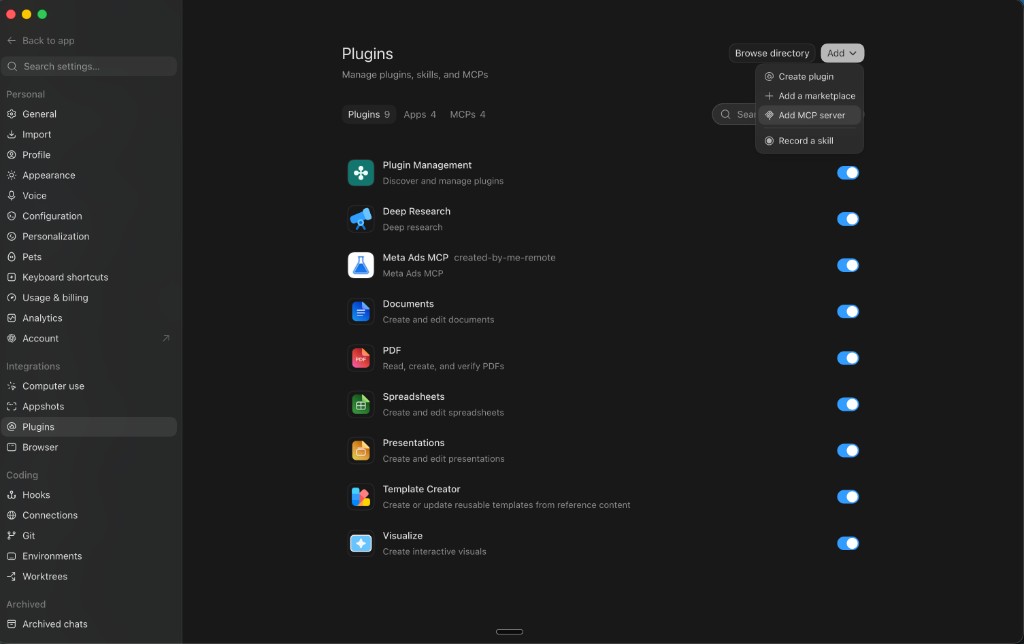
Open Plugins, then Add MCP server
In ChatGPT, open Settings. Under Integrations, click Plugins. Click Add in the top right, then Add MCP server.
Click the screenshot to open it full size. Step 2
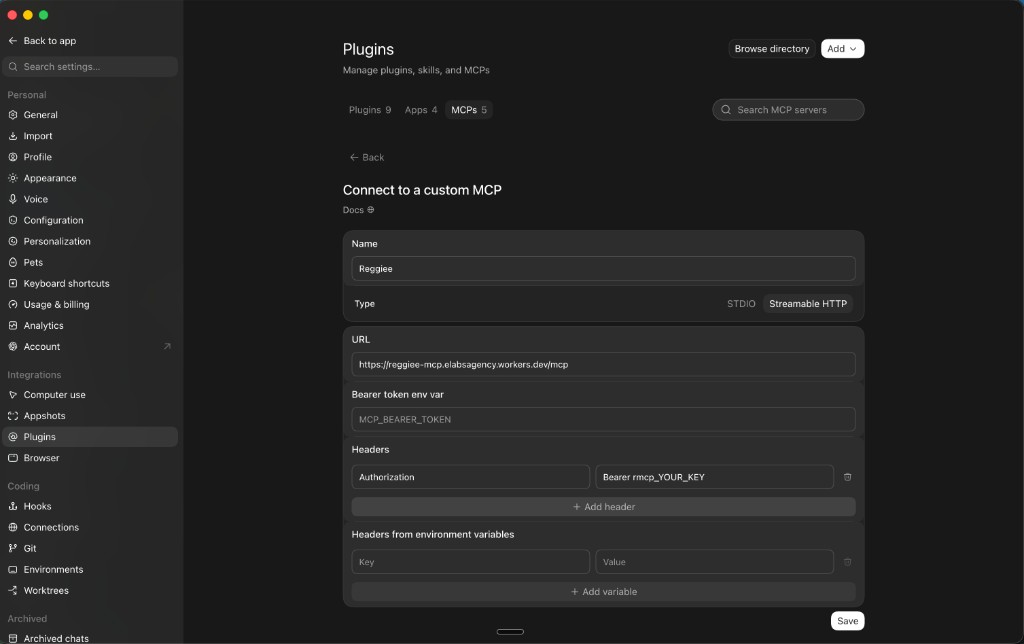
Streamable HTTP, URL, then an Authorization header
Name: Reggiee. Type: Streamable HTTP, not STDIO. URL: https://reggiee-mcp.elabsagency.workers.dev/mcp. Add one header. Key is Authorization with a z. Value is Bearer rmcp_YOUR_KEY. Save.
The header is what authenticates. Bearer token env var can stay as the pre-filled MCP_BEARER_TOKEN. Do not use Authorisation with an s. Do not click Authenticate.
Click the screenshot to open it full size. Step 3
Use it in a chat
Open the MCPs tab and confirm Reggiee is on. Start a new chat. Attach Reggiee under Sources, or type the name in the composer. Try: list my brands.
Claude custom connector
Same URL, same rmcp_ key. Do not mix STDIO and HTTP.